


Capital One Mobile
Capital One Services, LLC
I approach banking apps differently from ordinary finance tools. A budgeting app can be inconvenient; a banking app can affect access to money, bill deadlines, card security, and confidence in every transaction. After spending time with Capital One Mobile, my impression is that it is built around quick account control rather than financial education. It is a free finance app from Capital One Services, LLC, and its core appeal is simple: it brings everyday card and banking tasks into one mobile place.
The app has been around since Jul 29, 2011, and its scale is easy to understand from its store presence: it has more than 50 million installs, an average rating of 4.5, and roughly 1.7 million ratings. Those figures do not prove that every user will have a smooth experience, but they do show that this is an established product rather than a small experimental banking utility. It is rated for Everyone, while the practical question is less about age and more about whether you already use Capital One services.
Trust starts with what the app lets me control
My first test with a banking app is not whether it looks polished. I want to know whether the important actions are easy to find when I am distracted, travelling, or dealing with a suspicious transaction. Capital One Mobile puts attention on familiar tasks: paying bills, managing cards, depositing checks, and reviewing account activity. That focus makes sense for a financial app because these are the moments when speed and clarity matter most.
The card-lock control is one of the most useful examples. If I misplace a card at a café or cannot immediately remember whether I left it in a jacket, being able to lock it from the phone is more reassuring than having to search for a support number. It gives me a reversible first step while I investigate. I would still treat a genuinely fraudulent transaction as a matter requiring proper follow-up, but the lock option can reduce panic during the first few minutes.
Bill payment is another area where the app is more practical than a general-purpose money manager. A budgeting application may help me plan what I can afford, but it usually cannot replace the account-specific payment workflow offered by the bank itself. Here, the advantage is that the payment task sits close to the account information I need before sending money. I can check the relevant balance and then handle the bill without switching between unrelated services.
Related News

Why WhatsApp Messenger Still Makes Everyday Communication Feel Easy

Jurassic World: The Game Is the Better Dino Tycoon for Strategic Players

Threads in Real Life: Who Should Join, Lurk, or Leave

How SHEIN Turned Shopping Into an Endless Content Feed

How to Make Fortnite Feel Smarter on Mobile

Should You Switch to Microsoft Outlook on Mobile?
Check deposit also changes how I think about convenience. For someone who occasionally receives a paper check, the phone can remove a trip to a branch or an ATM. That is particularly useful outside normal opening hours. At the same time, I would not treat mobile deposit as an instant substitute for cash. I would keep the paper check until the deposit is properly reflected and avoid planning an urgent payment around money that has not yet become available.
That is an important distinction between a trustworthy control and a promise of certainty. The app can make the submission process easier, but it does not eliminate the need to review the amount, account, and timing. My best habit is to prepare the deposit in a quiet place, check the images before submitting, and keep a personal note of what I deposited. These small steps are more valuable than rushing through the camera workflow.
Account access should be treated as a security decision
Because this is a banking app, I would set it up only on a device I personally control. I would also avoid signing in on a shared phone, especially if other people can use the device or see notifications. The app is most useful when it is part of a broader routine: a screen lock on the phone, careful attention to login prompts, and immediate review of unfamiliar activity.
Gallery
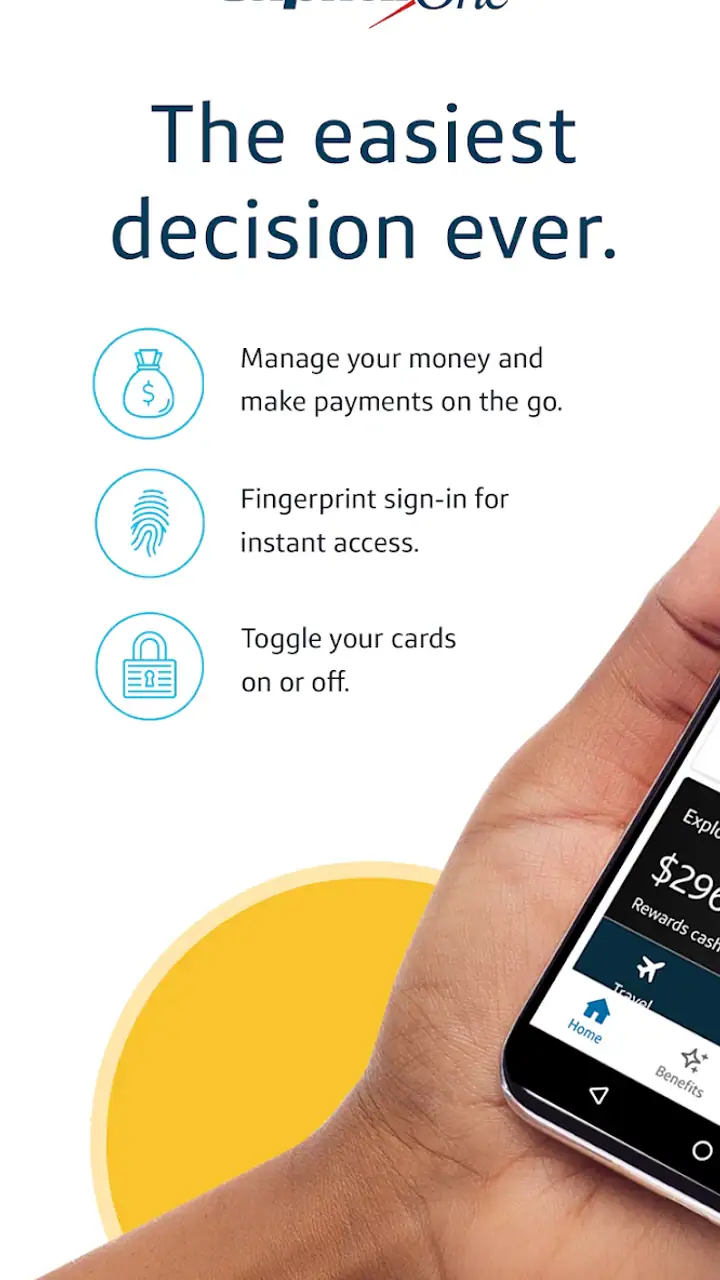
I like that the app’s purpose is visible through its controls. The combination of card locking, bill payment, check deposit, and account management gives me actions I can take myself instead of making every problem dependent on customer service. That does not mean every situation can be solved inside the app, but it does reduce the number of ordinary tasks that require a call.
There is also a trade-off. Centralizing so many financial actions is convenient, but it means the phone becomes an important doorway to the account. If my device is lost, damaged, or unavailable, I should already know how I would reach Capital One through another official channel. A mobile banking app is not a replacement for a backup plan; it is one part of account access.
The version and device question matters
The current version is 6.36.20, and the app requires at least OS 11. That minimum is reasonable for many users, but it still matters if an older iPhone or iPad is being kept in service. I would check the operating system before relying on the app for a trip, a move, or a period when branch access will be difficult. An app that works well on a current device is not useful if the phone cannot install or update it.
I would also leave room for ordinary banking friction: a weak connection, a camera that struggles with a check, or a session that needs to be restarted. Those are not reasons to reject the app, but they are reasons to avoid making a time-sensitive payment at the last possible moment. My preferred routine is to use it earlier in the day, on a stable connection, and to confirm the result rather than assuming a tap completed everything.
Where data sensitivity becomes part of the experience
Financial apps deserve a more careful review of data practices than games or social tools. Every action inside a banking app can relate to an account, a payment, a deposit, or a card. I therefore pay attention to the choices visible during use: what I am asked to approve, which account I am selecting, and whether the app makes the next step understandable before I commit.
Capital One Mobile feels most trustworthy when it keeps the user focused on a specific task. Locking a card is a clear intention. Depositing a check is a clear intention. Paying a bill is also clear, but it deserves an extra pause because the consequences are less reversible. Before submitting a payment, I would verify the payee, amount, funding account, and scheduled timing. I would not rely on a familiar-looking screen alone.
That workflow is especially important in a realistic everyday situation. Imagine I am leaving work and notice that my card is not in my wallet. I can use the app to lock the card while I retrace my steps. If I find it in the car, I can decide whether to restore normal use; if I see an unfamiliar transaction, I can keep the card restricted while investigating. The value here is not dramatic automation. It is having a simple control available before a small mistake becomes a larger one.
A different example involves a paper check received on a weekend. I can use the mobile deposit feature instead of waiting for a branch visit, but I would photograph the check carefully, review the amount, and retain the original. If the money is needed for a bill, I would confirm availability before treating the deposit as spendable. This is where the app saves time without removing responsibility.
For bill payment, I would use a similar two-stage habit. First, review the balance and the bill details. Second, submit the payment and look for confirmation inside the account activity. If I am paying near a deadline, I would act earlier rather than assuming that a mobile submission automatically means immediate completion. The app can simplify the process, but timing remains a financial decision I need to manage.
Visible choices are more useful than vague reassurance
I do not judge a financial product by broad claims about safety. I judge it by whether I can see what I am about to do and whether the app gives me a meaningful way to correct a mistake. Card locking is a strong example of user agency because it lets me respond to uncertainty without immediately abandoning the card. Account review and payment confirmation serve a similar purpose by giving me a chance to catch errors.
Still, I would not confuse control over an account with control over every possible risk. A user can approve the wrong payment, photograph a check poorly, or ignore an unfamiliar charge. The app cannot make those decisions responsibly on the user’s behalf. Its role is to provide the tools and information needed for a careful decision, while my role is to slow down at the moments that carry consequences.
That balance also affects how I handle notifications and shared devices. I would be cautious about displaying financial details on a lock screen and would review phone privacy settings before using the app regularly. I would not sign in while someone is watching or save access details where another person could reach them. These are not special Capital One tricks; they are sensible ways to protect any mobile banking session.
How it compares with the usual alternatives
Compared with visiting a branch, Capital One Mobile is faster for routine actions and available when travelling or outside branch hours. The branch remains preferable when I need extended human help, have a complicated account issue, or cannot confidently complete a sensitive task on a phone. Mobile access is convenient, but convenience should not pressure me into handling a confusing problem alone.
Compared with an ATM, the app is more flexible for bill payment and card management, while an ATM is still the more natural choice for physical cash. Compared with a standalone budgeting app, Capital One Mobile is closer to the source of the transaction and account controls. A budgeting tool may offer a broader view across several financial institutions, but it will not necessarily provide the same direct card and deposit workflow for a Capital One customer.
This makes the app a particularly good fit for someone who already has Capital One accounts and wants fewer separate channels for everyday management. It is less compelling for a person who wants one neutral dashboard covering many banks, detailed long-term planning, or extensive financial coaching. I would use a separate budgeting service alongside it if my main goal were household forecasting across multiple institutions.
I would also skip it as a primary solution if I rarely use mobile devices, dislike photographing checks, or prefer handling all banking matters with a person. The app’s strengths appear when I want immediate, self-directed control. If that style makes me uneasy, a branch or phone conversation may be the better experience, even if it takes longer.
Small habits that make the app more dependable
I would organize my use around three habits. First, I would review recent activity during normal account check-ins rather than waiting for a problem. Second, I would lock a misplaced card promptly instead of assuming it will turn up. Third, I would schedule bill payments with enough time to verify the result, particularly when the due date is close.
For deposits, I would use good lighting, make sure the check is flat, inspect the captured images, and retain the paper until the transaction is settled according to the account’s instructions. For payments, I would read the final review screen slowly, even if the payee is familiar. These are simple actions, but they address the exact points where mobile convenience can encourage careless tapping.
The app is free to install, which removes a direct software cost, but that should not be mistaken for a guarantee that every banking activity is cost-free or suitable for every account situation. I would always pay attention to the terms shown for the specific service I am using. The important point is that the app gives access to banking functions; it does not replace the financial conditions attached to an account or transaction.
Capital One Mobile is also not a substitute for understanding my own money. It can help me act, but it cannot decide whether a payment fits my budget, whether a check should be deposited immediately, or whether a suspicious transaction requires a broader response. I see it as a control panel, not as a financial adviser. That distinction keeps expectations realistic.
My cautious verdict
After using it as an everyday banking companion, I find the app strongest in moments that benefit from direct control: locking a card, paying a bill, checking account activity, and depositing a paper check without a branch visit. The experience is practical rather than flashy, and that is appropriate for a finance app. I value the ability to take a first protective action myself instead of waiting for help.
My reservations are about mobile banking in general as much as this particular product. A phone can be lost, a connection can fail, and a rushed user can approve the wrong detail. Check deposits and bill payments still deserve verification, and complicated issues may be better handled through another support channel. Users who want cross-bank budgeting or personal financial planning may also find a dedicated alternative more suitable.
For an existing Capital One customer who wants convenient account access and clear everyday controls, I would recommend trying it. The large user base and strong average rating suggest that it serves many people well, while the free price and broad device availability make testing it straightforward for compatible devices. I would install it with the same care I use for any financial tool, keep my phone protected, and make account review part of the routine.
My final view is deliberately measured: the app earns trust through useful controls, not through convenience alone. It gives me practical ways to respond to common banking situations, but it works best when I remain attentive to payment details, deposit timing, device access, and the limits of self-service. If that balance matches the way you manage money, Capital One Mobile is a sensible, focused choice.
FAQs for Capital One Mobile
What features does the Capital One Mobile app offer?
The Capital One Mobile app provides a comprehensive suite of features for managing your finances. You can view account balances, make payments, deposit checks, and monitor transactions. Additionally, it offers credit score tracking, personalized alerts, and integration with virtual assistants. It's designed to simplify banking on the go.
Is the Capital One Mobile app secure to use?
Yes, the Capital One Mobile app is designed with multiple layers of security to protect your personal and financial information. It includes features like two-factor authentication, biometric login options such as fingerprint and face recognition, and end-to-end encryption. Regular updates further enhance its security measures.
Can I deposit checks through the Capital One Mobile app?
Absolutely. The app allows you to deposit checks conveniently by taking a photo with your phone's camera. Simply endorse the check, snap a clear picture, and follow the app's instructions. This feature saves you a trip to the bank and ensures a hassle-free experience.
Does the Capital One Mobile app support bill payments?
Yes, the app supports bill payments, enabling you to pay your bills directly from your mobile device. You can set up one-time or recurring payments and even receive reminders for upcoming due dates. This feature helps you manage your finances efficiently and avoid late fees.
What devices are compatible with the Capital One Mobile app?
The Capital One Mobile app is compatible with a wide range of iOS and Android devices. It requires iOS 13.0 or later for Apple devices and Android 8.0 or higher for Android devices. Ensure your device meets these requirements for optimal performance and functionality.
Pros
- User-friendly interface for easy navigation.
- Real-time notifications for account activity.
- Secure login with fingerprint or Face ID.
- Comprehensive credit monitoring tools.
- Customizable alerts for bill payments.
Cons
- Limited features for non-Capital One users.
- Occasional slow load times reported.
- Some features require internet access.
- No investment tracking options.
- May drain battery with heavy usage.


